



Turning an HDMI signal into a clean channel that travels over coaxial cable is harder than it looks: weak units pixelate over long runs, lose lip-sync, or refuse to coexist with the channels already on the line. The MINIMOD 2+ solves all three. It has earned NAB Product of the Year, CE Pro Best, and CEDIA Best of Show recognition precisely because it converts HDMI to coax with broadcast-grade stability — +45 dBmV of output and MER above 45 dB — so the picture stays perfect from the headend to the farthest television.
Recognition
The HDMI to Coax Converter Trusted Since 2017
When integrators need to convert HDMI to coax and feed it to every TV in a building, the VeCOAX MINIMOD 2+ is the unit they reach for — award-winning, US-built, and proven on 50,000+ installations.

How HDMI to Coax Works
One HDMI Source → A Real TV Channel on Every Coax Outlet
An HDMI to coax converter takes the video coming out of any HDMI device and re-broadcasts it as a digital television channel on your coaxial cable. Every TV already wired for cable or antenna simply tunes it in — no new HDMI runs, no adapters, no network.
- Plug any HDMI source into the input — cable box, Apple TV, camera, signage player, laptop
- Pick a channel number on the front-panel LCD — your HDMI is now a coax TV channel
- Run the coax output into your existing in-wall cabling or a combiner
- Auto-scan each TV once — the HDMI-to-coax channel appears in full 1080p
- No HDMI cable length limits, no splitters behind every screen, no streaming boxes
- Need more sources? Add another MINIMOD 2+ and combine outputs on the same coax

Setup
Convert HDMI to Coax in Under a Minute. No Computer Required.
Most HDMI-to-coax converters force you to plug into a laptop and hunt through web menus. The MINIMOD 2+ puts every setting — channel number, modulation, output level — on a high-resolution color LCD right on the box.
- Built-in color LCD shows channel, frequency, and signal status at a glance
- Choose QAM or ATSC and set the channel right on the front panel
- No PC, no software, no app — the converter is self-contained
- Power on → select channel → connect coax → scan TVs → done

Works on Your Existing Line
Your HDMI-to-Coax Channel Sits Alongside Your Current Channels
Whether the building runs cable (QAM) or antenna (ATSC), the converted HDMI channel blends into the existing lineup. Every TV finds it on a normal channel scan — no mode switching, no separate inputs.

Because the MINIMOD 2+ outputs a true broadcast channel, the HDMI source you converted to coax behaves exactly like any cable or over-the-air station. On a QAM (cable) plant it appears among your cable channels; on an ATSC (antenna) plant it joins your over-the-air channels. You can switch standards on the front panel at any time.
The same converter also covers DVB-T/T2, DVB-C/C2, and ISDB-T for worldwide PAL and NTSC coax systems — one HDMI-to-coax box that drops into any TV plant on earth, HD, 4K, or 8K.
Remote Control
Adjust Your HDMI-to-Coax Channels From Any Browser
The front-panel LCD handles setup, but when units live in a closet or rack you can also monitor and retune them remotely through the secure web interface.
- Optional web interface for remote channel and level changes over the LAN
- Manage a whole rack of HDMI-to-coax converters from one browser tab
- Works from PC, Mac, tablet, or phone — no app to install
- Live status and alerts so you know every channel is on-air

Audio
HDMI Audio Travels Over the Coax, Too
Converting HDMI to coax shouldn't mean losing the sound. The MINIMOD 2+ encodes broadcast-grade Dolby Digital so audio arrives locked to picture on every television.
- Dolby Digital / LPCM audio carried with the converted HDMI video
- Tight lip-sync from input to every TV — no drift over long coax runs
- Passes 5.1 surround from compatible HDMI sources
- Clean voice, music, and effects on every screen

Installation
Three Connections. Done.
HDMI in. Coax out. Channel scan. Your source is live on every TV in the building — in Full HD with synced audio.

An HDMI-to-coax install with the MINIMOD 2+ takes minutes, not days. Connect the HDMI source to the input, run the F-type coax output into the existing distribution (or a passive combiner if you're adding channels), pick a channel on the LCD, and auto-scan the TVs. There is no network to configure, no decoders to mount behind screens, and no IT ticket required — the existing coaxial cable does all the work.
The MINIMOD 2+
The HDMI to Coax Converter That Acts Like a Broadcast Headend
Palm-sized aluminum build, broadcast-grade encoding, and a front-panel LCD — the professional way to put any HDMI source on coax. Made in USA with a 5-year warranty.

The VeCOAX MINIMOD 2+ converts HDMI to coax the way cable operators do it: full 1080p at 60fps MPEG-2 video, Dolby Digital audio, +45 dBmV RF output to drive long cable runs, a built-in color LCD for computer-free setup, and support for every worldwide TV standard. One small box turns any HDMI device into a channel that reaches unlimited TVs over the coax already in your walls.
Rack Solutions
Stack Multiple HDMI-to-Coax Channels in 1RU
Need several HDMI sources on coax? Mount up to four MINIMOD 2+ converters in a single 1RU rack panel for a tidy, professional multi-channel headend.

The optional 1RU rack panel holds up to four HDMI-to-coax converters in one rack space, with front-panel access and proper airflow. Combine their outputs with a passive combiner and you have a clean multi-channel lineup riding a single coax — ideal for AV closets, server rooms, and broadcast facilities.
$105.00$99.00Save $6.00
High Density
10+ HDMI-to-Coax Channels with the MiniBlade Kit
For large lineups, the VeCOAX MiniBlade system packs 10 or more converter units into a single rack — each fully independent so one channel can never take down the rest.

When you need to convert many HDMI sources to coax at once, the MiniBlade rack kit delivers maximum channel density with independent power per unit. There is no shared point of failure: every HDMI-to-coax channel runs on its own, which is exactly what 24/7 commercial systems demand.
Compatibility
Every TV Can Tune the Converted Channel — HD, 4K, and 8K
The HDMI-to-coax channel is a standard digital broadcast signal, so any television decodes it perfectly — from a decade-old HD set to the newest 8K display.

Because the MINIMOD 2+ outputs a broadcast-standard channel, you never worry about whether a particular TV supports the source. Color space, frame rate, and audio sync are handled at the converter, so the picture looks right on every brand and resolution — no per-TV settings, no compatibility surprises.
Features
Built to Convert HDMI to Coax Flawlessly
Every detail exists to put your HDMI source on coax with broadcast stability and effortless setup.
Front-Panel Color LCD
Set your HDMI-to-coax channel, modulation, and output level on the built-in display — no laptop, no web hunting.
One-Click Channel Recall
Save and recall full configurations instantly — swap a converter into service in seconds.
Full Channel Customization
Tune frequency down to the Hz, name the channel, and shape every parameter per install.
1080p@60 Motion Encoding
Multi-layer motion estimation keeps fast action crisp even on the largest screens.
MPEG-2 Broadcast Standard
Encodes in the same format cable operators use — universal TV compatibility.
+45 dBmV Output
Professional output power drives long coax runs and many splitters with no external amp.
MER >45 dB
Broadcast-quality signal cleanliness for zero artifacts at the far end of the cable.
Full Digital DDS
Direct Digital Synthesis enables clean adjacent-channel stacking with no spurious output.
Secure Web Remote
Password-protected browser control for managing converters in racks and closets.
Unlimited TVs
Distribute the converted HDMI channel to 5 TVs or 5,000 — no per-screen cost.
Built-In Test Pattern
Color bars appear when no HDMI is connected, so you can verify the coax run end-to-end.
HDMI Licensed + Full EDID
Fully HDMI licensed with exclusive EDID control for guaranteed handshake with any source.
Watch the Demo
See HDMI Converted to Coax in Real Time
From plugging in an HDMI source to watching it on every TV over coax — the whole process in under five minutes.
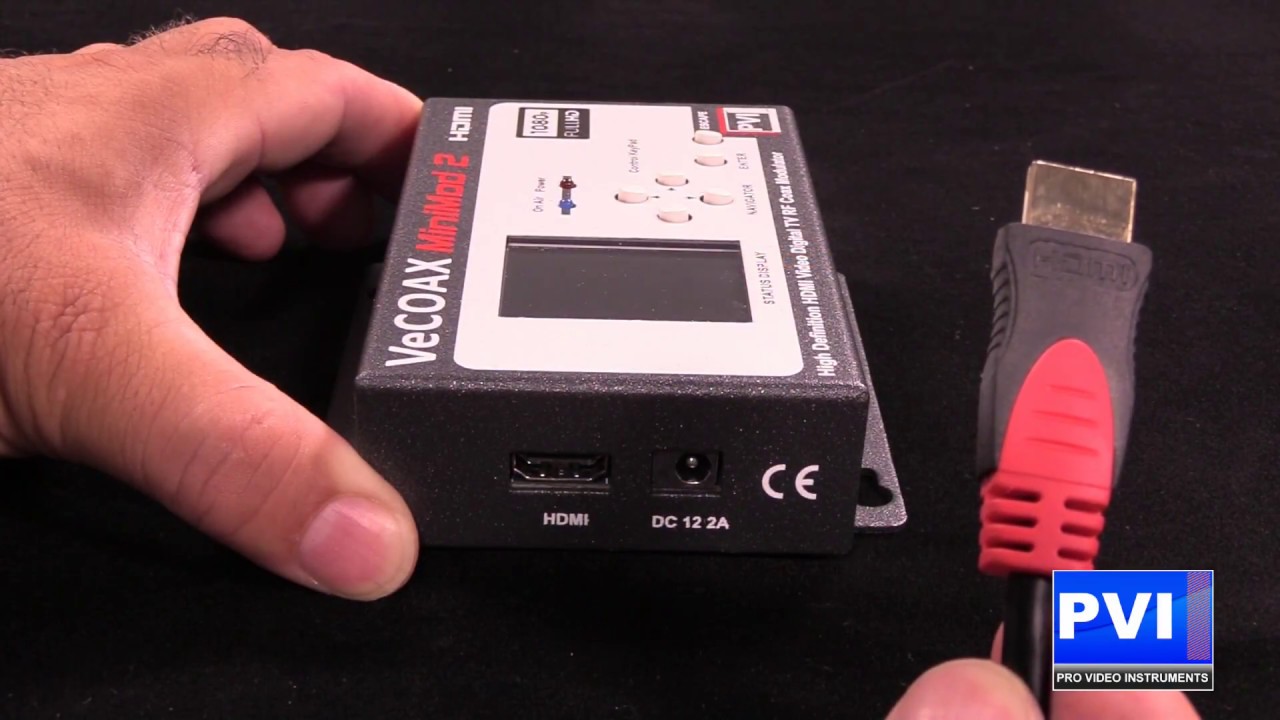
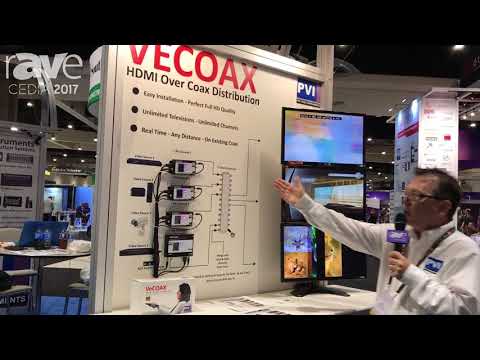
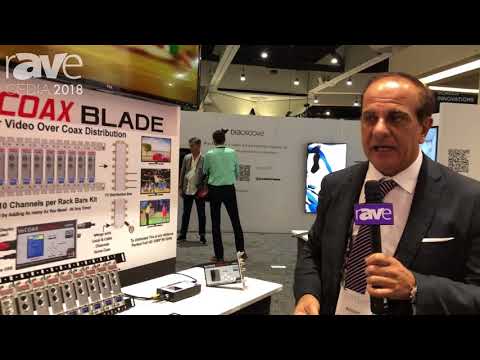
Complete walkthrough: HDMI connection, channel selection on the LCD, coax distribution, TV scan, and multi-channel rack setups. Duration: 4 min 30 sec.
Applications
Where HDMI-to-Coax Conversion Shines
🏨
Hotels & Resorts
Put a welcome or amenity HDMI source on coax to every guest-room TV.
🍺
Sports Bars
Convert one game feed to coax — every screen, one source.
⛪
Churches
Send the live HDMI camera feed over coax to overflow rooms and lobbies.
🏥
Hospitals
Convert education and wayfinding HDMI sources to coax channels.
🎓
Schools
Announcements from one HDMI source onto coax campus-wide.
🏢
Corporate
Dashboards and town halls converted to coax for every conference room.
🏠
Residential
One HDMI source to every TV in the house over existing coax.
🛡️
Government
Secure HDMI-to-coax distribution for facilities and operations.
Why PVI
Why This Is the Best HDMI to Coax Converter
Cheap converters cut corners on output power and signal cleanliness — and it shows on the farthest TV. The MINIMOD 2+ gives you broadcast-grade HDMI-to-coax conversion that stays perfect across the whole building.
VeCOAX MINIMOD 2+
Competitors
✓$445 — Today's Deal
✕$469+
✓HDMI 2.0b Input — Top Quality
✕HDMI 1.4 — outdated handshake; may limit newer HDR sources
✓1080p @ 60fps Encoding
✕30fps Encoding
✓Color LCD — Convert Without a Computer
✕Requires PC for Full Setup
✓Dot-less Channel Numbering Mode
✕Not Available
✓+45 dBmV Output — Long Coax Runs
✕Low Output — May Need External Amplifiers
✓4 Converters in a Single 1RU Rack
✕Not Possible
✓5-Year Warranty
✕1-Year Warranty
✓Made in USA
✕Typically a rebranded import — support may vanish when the model changes
✓All 5 Worldwide TV Standards
✕Limited Standards
✓Free Unlimited Tech Support
✕Limited Support
✓MER >45 dB — Clean at the Far End
✕Low MER — Pixelation & Drops on Long Coax
Specifications
HDMI to Coax Converter — Technical Specifications
| Video Input | Compatible HDMI 2.0b / 2.1 for Latest HD / 4K Full Quality Sources — also compatible with legacy older HDMI versions (HDMI licensed, HDCP compliant) |
| Input Resolution | 1080p | 1080i | 720p | 576p | 576i | 480p | 480i @ 24/29.97/50/59.94/60fps |
| Video Encoding | MPEG-2 broadcast-standard encoding |
| Output Resolution | Same as input — up to 1080p Full HD |
| Audio Format | Dolby Digital Stereo LPCM |
| RF Frequency Range | 54–990 MHz — selectable down to the Hz steps |
| RF Channel Bandwidth | 6/7/8 MHz (model specific to broadcast format) |
| Channel Range | 2–83 ATSC mode | 2–158 J83B QAM | Full range for other standards | Channel or Frequency selectable |
| Modulation Standards | QAM (Annex A/B/C), ATSC, DVB-T, DVB-C, ISDB-T |
| RF Output Power | -8 dBm | ~45 dBmV (adjustable) |
| MER (Modulation Error Ratio) | >45 dB — Broadcast Quality |
| Frequency Synthesis | Full Digital DDS — zero spurious & harmonics |
| RF Connector | F-Type Dual, 75Ω |
| Coaxial Cable Support | RG59 | RG6 (75Ω characteristic impedance) |
| RF Transmission Distance | ≤3,000 m (~9,800 ft) — extendable with inline RF amplifiers |
| Display | Large high-resolution color LCD |
| Control | Front-panel buttons + Secure web browser remote (login-protected) |
| Network | 10/100/1000 Gigabit Ethernet RJ-45 — network compatible |
| Power Input | AC 100V–240V 50/60Hz, DC 12V/1A (adapter included) |
| Max Working Current | 850 mA @ 12V |
| Operating Temperature | -10°C to +45°C |
| Storage Temperature | -20°C to +60°C |
| Operating Humidity | 10–90% RH (no condensation) |
| Storage Humidity | 5–95% RH (no condensation) |
| Unit Dimensions (L×W×H) | 6″ × 3″ (4.5″ with wall mount ears) × 1″ |
| Unit Weight | 1 lb (0.45 kg) |
| Shipping Box (L×W×H) | 11″ × 6″ × 9.3″ |
| Shipping Weight | 1 lb |
| Patent | Hardware, software, and display UI are PVI’s patent |
| Warranty | 5-Year Manufacturer Warranty |
| Origin | Designed & Made in USA |
FAQ
HDMI To Coax Modulator - Frequently Asked Questions
What is an HDMI to coax modulator?
An HDMI to coax modulator is a device that turns an HDMI source into a real digital TV channel over coax. For the hdmi to coax keyword family, the VeCOAX MINIMOD 2+ handles moving one HDMI source across existing coax wiring and lets every connected TV scan the result like normal television.
How does an HDMI to coax modulator work over coax?
For hdmi to coax, the MINIMOD 2+ receives HDMI, encodes it as a 1080p digital television channel, and outputs it through the F-type coax connector. The coax network carries that channel to every TV without a box behind each screen.
Why use an HDMI to coax modulator instead of HDMI cables?
HDMI To Coax Modulator distribution uses the coax already installed in the building, so distance and screen count are not limited like HDMI cable runs. This is why hdmi to coax is better for whole-building TV distribution than point-to-point HDMI wiring.
Which sources work with this HDMI to coax modulator?
Use cable boxes, media players, cameras, signage players, computers, and receivers. For hdmi to coax installations, the HDMI input includes EDID control so common 720p, 1080i, and 1080p sources can be converted into a stable HD TV channel.
Which TVs can receive the hdmi to coax channel?
Any TV with a compatible digital tuner can receive the hdmi to coax channel after a normal scan. HD, 4K, and 8K televisions can tune the 1080p output because it is a standard digital TV broadcast format.
Does this HDMI to coax modulator support QAM cable mode?
Yes. In QAM mode, the MINIMOD 2+ creates a digital cable-TV channel that cable-mode TVs can scan. This is useful for hdmi to coax in hotels, CATV plants, commercial buildings, and private coax systems.
Does this HDMI to coax modulator support ATSC antenna mode?
Yes. In ATSC mode, the same HDMI to coax modulator creates an antenna-style digital TV channel. This helps hdmi to coax projects where TVs are set to antenna mode instead of cable/QAM mode.
Can this HDMI to coax modulator coexist with existing TV channels?
Yes. Assign the hdmi to coax output to an open RF channel so it does not overlap existing cable, antenna, or other private modulator channels. Proper channel planning lets multiple channels share the same coax cleanly.
How many TVs can one HDMI to coax modulator feed?
One MINIMOD 2+ can feed a few TVs or thousands of TVs when the coax system is designed correctly. For hdmi to coax, the +45 dBmV RF output gives strong launch power for splitters, taps, and long building runs.
How far can hdmi to coax travel over coax?
HDMI To Coax Modulator output can travel up to roughly 9,800 feet under proper RF conditions. Real distance depends on cable type, splitters, taps, amplifiers, and the signal level required at each TV.
Can I use existing coax with this HDMI to coax modulator?
Yes. This is the main advantage of hdmi to coax: it reuses RG6 or RG59 coax already in the walls. You do not need to pull new HDMI cables to every display.
Do I need a computer to set up this HDMI to coax modulator?
No. Channel number, modulation standard, output settings, and basic configuration can be set from the built-in color LCD. This makes hdmi to coax setup fast even without a laptop.
Why is the color LCD important for hdmi to coax?
The front display lets installers confirm the active channel, standard, and operating status at the rack or TV closet. That makes coax distribution faster to commission than units that require software for basic setup.
Can I manage this HDMI to coax modulator remotely?
Yes. The MINIMOD 2+ includes secure web browser control for checking status and adjusting settings from a computer, tablet, or phone on the local network, which is useful for hdmi to coax systems in equipment rooms.
What picture quality does this HDMI to coax modulator deliver?
It delivers Full HD 1080p MPEG-2 video with Dolby Digital audio. Broadcast-grade MER performance and a clean RF synthesizer help the hdmi to coax channel stay sharp on every TV.
Does this HDMI to coax modulator work with 4K and 8K TVs?
Yes. Modern 4K and 8K TVs can tune and display the 1080p hdmi to coax channel just like any other HD broadcast channel. For true 4K channel output, use the VeCOAX MINIMOD 4K instead.
Can I add more hdmi to coax channels later?
Yes. Each MINIMOD 2+ creates one channel. Add more units, set each one to a different RF channel, and combine them onto the same coax for a larger hdmi to coax lineup.
Where is this HDMI to coax modulator used most often?
This HDMI to coax modulator is used in commercial buildings, homes, sports bars, hotels, schools, and churches. Typical hdmi to coax applications include private TV channels, digital signage, camera feeds, welcome channels, training video, live events, and shared entertainment sources.
How is this HDMI to coax modulator different from a HDMI splitter?
A HDMI splitter usually depends on short point-to-point wiring or limited outputs. A HDMI to coax modulator creates a real tunable TV channel, so the existing coax system distributes the hdmi to coax source to every TV at building scale.
Is the MINIMOD 2+ good for professional hdmi to coax?
Yes. It is designed for 24/7 professional hdmi to coax with +45 dBmV output, MER above 45 dB, selectable QAM/ATSC/DVB/ISDB standards, web control, and a compact metal chassis.
Is this HDMI to coax modulator HDCP compliant?
The HDMI input is licensed and includes EDID control for compatibility with standard HDMI sources. As with any professional hdmi to coax system, the connected source content must allow the intended display and distribution use.
What warranty and support come with this HDMI to coax modulator?
The MINIMOD 2+ includes a 5-year manufacturer warranty and free lifetime technical support from Pro Video Instruments. It is designed and made in USA for dependable coax distribution and strong hdmi to coax performance.
Accessories
Complete Your HDMI-to-Coax System
Everything you need to combine, rack, and scale multiple converted channels.

Coax Combiner / Splitter (13-Port)
Ultra-low-loss 13-port coaxial combiner optimized for HD/4K digital TV. Bidirectional — use as combiner or splitter.
$105.00$95.00
You save $10.00

1RU Rack Panel (4-Slot)
Professional 19-inch rack mount panel. Install up to 4 MINIMOD 2+ units in a single 1RU space.
$105.00$99.00
You save $6.00

VeCOAX MINIMOD-4K Ultra HD
Upgrade to full 4K HDR over coax. Mix and match with MINIMOD 2+ units on the same system.
$1,950.00$1,495.00
You save $455.00

MINIMOD 2+ — 3-Pack Bundle
Three award-winning MINIMOD 2+ modulators — three independent HD channels at a bundle price below three single units.
$1,485.00$1,299.00
You save $186.00

MINIMOD 2+ — 4-Pack Bundle
Four MINIMOD 2+ modulators — four HD channels at our best per-unit price. Perfect fit for a single 1RU rack panel.
$1,980.00$1,732.00
You save $248.00

VeCOAX MiniBlade (10-Unit Rack)
High-density blade kit for 10 MINIMOD units in a single 19-inch rack space. Maximum channel count.
From
$599.00
Bundles & Upgrades
You Might Also Like
Convert more sources with multi-unit bundles, or step up to 4K HDMI-to-coax.

VeCOAX MICROMOD-3 SDI
3G-SDI + HDMI + closed captions + analog inputs — broadcast SDI source to coax
$1,295.00$995.00
You save $300.00

VeCOAX RACK-2 (2-Channel System)
Two-channel HDMI modulator system — two MINIMOD 2+ units in a 1RU rack mount
$1,095.00$995.00
You save $100.00

VeCOAX RACK-4 (4-Channel System)
Four-channel HDMI modulator system — four MINIMOD 2+ units in a 1RU rack mount
$2,085.00$1,830.00
You save $255.00

VeCOAX ULTRA+ (4 or 8 Channels)
Integrated modular chassis — pre-combined channels with centralized LCD control display
From
$2,449.00
Ready to Put Your HDMI Source on Every TV?
$445.00$495.00
Save $50.00
Free shipping over $500 · 5-year warranty · Free unlimited tech support · Made in USA