


Tech Support for VeCOAX MINIMOD 2 HDMI DF RF modulators qam atsc dvbt isdbt dvbc television channels distribution

Single Unit Quick Installation
IF you are merging the minimod 2
with other coaxial TV channels,
FIRST find out a FREE CHANNEL
not used on your TV channel list
so channels will not jam each other.
Look on your TV channel list
for an UNUSED channel number.
1) This step is critical for a successful setup
At first, connect the MINIMOD 2 DIRECTLY on your TV with a short piece of coaxial cable
2) You do not need to connect any HDMI input at this stage
3) Check on the Minimod Display it shows the CORRECT Channel Name & Numbers you want.
How to set channel frequencies →
4) Rescan your TV's digital channel list to locate the Minimod2 Channel on your TV.
You should see a color-bars test pattern like the one below:
At first, connect the MINIMOD 2 DIRECTLY on your TV with a short piece of coaxial cable
2) You do not need to connect any HDMI input at this stage
3) Check on the Minimod Display it shows the CORRECT Channel Name & Numbers you want.
How to set channel frequencies →
4) Rescan your TV's digital channel list to locate the Minimod2 Channel on your TV.
You should see a color-bars test pattern like the one below:
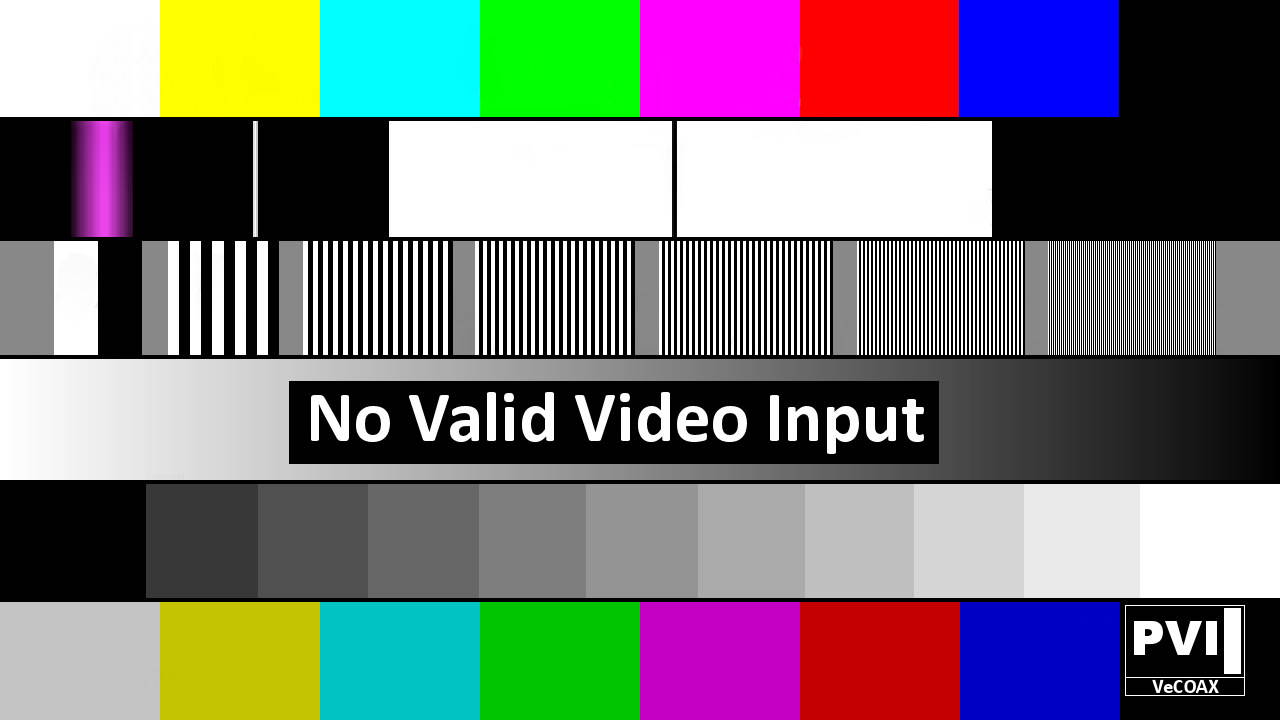
5) If the color-bars test pattern appears on your TV, the Minimod2 channel has been detected and is operating correctly.
Troubleshoot: channel not found →
6) Disconnect the Minimod2 from the TV.
Troubleshoot: channel not found →
6) Disconnect the Minimod2 from the TV.
7) Reconnect the TV to its regular coaxial cable.
8) Move the Minimod2 to the first coaxial junction-box splitter near the TV.
Connect the Minimod2 to the splitter so its MINIMOD 2+ channel signal reaches all TVs through the splitter.
See the diagram below:
8) Move the Minimod2 to the first coaxial junction-box splitter near the TV.
Connect the Minimod2 to the splitter so its MINIMOD 2+ channel signal reaches all TVs through the splitter.
See the diagram below:
9) Power on the Minimod2 while it is connected to the coaxial splitter.
10) Verify that you can still see the Minimod2 color-bars test signal.
- If yes — rescan all other TVs to find the Minimod2 channel, following the same procedure used on the first TV.
- If yes — rescan all other TVs to find the Minimod2 channel, following the same procedure used on the first TV.
- if no, Troubleshoot coaxial splitters →
11) Disconnect the Minimod2 from this splitter and connect to the next splitter. Repeat the test from Step #8
11) Disconnect the Minimod2 from this splitter and connect to the next splitter. Repeat the test from Step #8
12) Connect the Minimod2 to the main coaxial splitter that feeds all TVs, then repeat Step #10
14) Connect your HDMI source to the Minimod2 HDMI input. You should now see your HDMI source as a channel on all connected TVs.
Troubleshoot HDMI sources →
Troubleshoot HDMI sources →
Multiple Units Quick Installation
IF you are merging the minimods 2
with other coaxial TV channels,
FIRST find out a FREE CHANNELs
not used on your TV channel list
so channels will not jam each other.
Look on your TV channel list
for an UNUSED channel numbers.
(A) Prepare your Minimods 2 ON Different Channels
To merge multiple Minimod2 over the same coaxial each must be set to a different channel so they do not Jam each other
(B) Install Your Minimods 2 one by one
1) This step is critical for a successful setup
First, connect the Minimod2 directly to a TV using a short piece of coaxial cable
2) You do not need to connect any HDMI input at this stage
3) Check on the Minimod Display it shows the CORRECT Channel Name & Numbers you want.
How to set channel frequencies →
4) Rescan your TV's digital channel list to locate the Minimod2 Channel on your TV.
You should see a color-bars test pattern like the one below:
First, connect the Minimod2 directly to a TV using a short piece of coaxial cable
2) You do not need to connect any HDMI input at this stage
3) Check on the Minimod Display it shows the CORRECT Channel Name & Numbers you want.
How to set channel frequencies →
4) Rescan your TV's digital channel list to locate the Minimod2 Channel on your TV.
You should see a color-bars test pattern like the one below:
5) If the color-bars test pattern appears on your TV, the Minimod2 channel has been detected and is operating correctly.
Troubleshoot: channel not found →
6) Disconnect the Minimod2 from the TV.
Troubleshoot: channel not found →
6) Disconnect the Minimod2 from the TV.
7) Reconnect the TV to its regular coaxial cable.
8) Move the Minimod2 to the first coaxial junction-box splitter near the TV.
Connect the Minimod2 to the splitter so its Minimod2 channel signal reaches all TVs through the splitter.
See the diagram below:
8) Move the Minimod2 to the first coaxial junction-box splitter near the TV.
Connect the Minimod2 to the splitter so its Minimod2 channel signal reaches all TVs through the splitter.
See the diagram below:
9) Power on the Minimod2 while it is connected to the coaxial splitter.
10) Verify that you can still see the Minimod2 color-bars test signal.
- If yes — rescan all other TVs to find the Minimod2 channel, following the same procedure used on the first TV.
- If yes — rescan all other TVs to find the Minimod2 channel, following the same procedure used on the first TV.
- if no, Troubleshoot coaxial splitters →
11) Disconnect the Minimod2 from this splitter and connect to the next splitter. Repeat the test from Step #8
11) Disconnect the Minimod2 from this splitter and connect to the next splitter. Repeat the test from Step #8
12) Connect the Minimod2 to the main coaxial splitter that feeds all TVs, then repeat Step #10
14) Connect your HDMI source to the Minimod2 HDMI input. You should now see your HDMI source as a channel on all connected TVs.
Troubleshoot HDMI sources →
Troubleshoot HDMI sources →
15) Leave this Minimod2 connected to your coaxial cables and proceed to the next MINIMOD 2+
Repeat from step 1 for each Minimod2, one by one, so if there is an issue you'll be able to troubleshoot that easily
Repeat from step 1 for each Minimod2, one by one, so if there is an issue you'll be able to troubleshoot that easily
16) When all the Minimod2 are connected, all your TVs will be able to select and display any of the MINIMOD 2+ HDMI channels
Additional Documentation
VeCOAX MINIMOD 2 Instruction Manual

Need Additional Help?
We typically respond within 24 hours on business days.
Need more help? Our US-based engineers are here for you.
We typically respond within 24 hours on business days.
Call +1 407 720 6101
Contact Support